
Phone Repair in Poland: Quotes, Backups and Safe Handover
The essentials: Choose the repair route, back up where possible and follow the manufacturer's current preparation instructions. Keep account credentials private, agree the complete quote and limits of work, and obtain a detailed handover record.
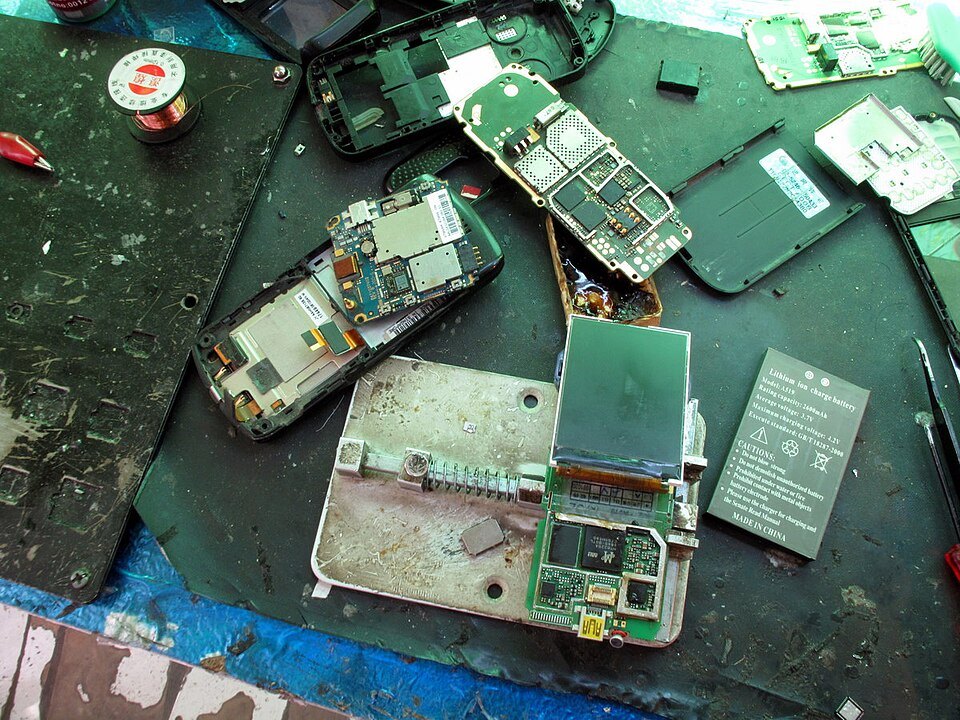
Illustrative repair workbench, September 2009, not a Polish shop listing or a repair tutorial. Peretz Partensky / Wikimedia Commons, CC BY-SA 2.0. Resized, same licence.
A broken phone can interrupt much more than calls. It may hold your Polish banking app, travel tickets, work sign-in, photographs and the number used for verification messages. Before handing it to a repair shop, make a plan for both the repair and the time without the device. A fast screen replacement is not useful if you lose access to essential accounts or approve work you did not understand.
In Polish, search for serwis telefonów or naprawa telefonu. This guide uses manufacturer and Polish consumer-information pages checked on 27 October 2026. It is an ordering and handover checklist, not a diagnosis or do-it-yourself repair guide. Follow the current instructions for your exact model and chosen repair route.
Choose the repair route before approving paid work
First decide whether you are making a complaint to the seller, seeking help under a manufacturer guarantee or buying a separate repair service. UOKiK distinguishes the seller's responsibility for goods that do not conform to the contract from a guarantee, if one was provided. The terms and appropriate contact can differ, so do not treat these as interchangeable names for the same process.
If you bought the phone abroad, check the available route rather than assuming every Polish branch can handle the same coverage. Have the model, purchase information and a description of the problem ready. Ask the manufacturer or seller to confirm what support is available for that device and location. This article does not determine warranty coverage from the brand name alone.
For an independent paid repair, ask which business will actually hold the device and perform the work. If a shop says it is authorized, check that claim through the manufacturer's own support route. A familiar logo, a shopping-centre location or a list of supported brands is not by itself proof of authorization or coverage.
Describe the problem without diagnosing it yourself
Write down what stopped working, when it began and what happened beforehand. Say whether the problem is constant or intermittent, whether the phone turns on and whether there has been a drop, liquid exposure or an earlier repair. A useful description is 'the display stays black but the phone rings', rather than a confident request for a particular part based on an online guess.
Record the exact model and identifying number privately, then photograph the outside condition where possible. Note cracks, marks and accessories you are leaving. Do not publish an IMEI, account screen or other identifying information in a public review merely to prove you have the device. Keep these details for the repair agreement and verified support channel.
Ask whether an assessment is needed before a fixed quote and whether diagnosis costs money if you decline repair. Tell the shop if preserving data is the main priority. Restoring a usable handset and recovering irreplaceable information are different goals; do not assume the cheapest hardware repair is also a data-recovery service.
Back up before repair, even if a privacy mode is available
Apple, Samsung and Google all advise backing up before service in the pages reviewed. Check when your backup last completed and what it contains. Seeing a cloud account signed in is not the same as confirming that recent photographs, messages or app information have been saved. Follow the manufacturer's backup guidance while the device is still usable.
Repair and Maintenance modes are privacy tools, not promises that data will survive every repair. Samsung warns that a mainboard replacement or factory reset can erase information. Google likewise says a repair involving storage-affecting parts can require a wipe even when Pixel Repair Mode was enabled. Keep a separate backup rather than treating a mode switch as one.
If the phone is unresponsive, tell the provider which preparation steps you could not complete. Apple says to do as many of its preparation steps as possible when the device does not respond. Do not approve a reset simply because you cannot reach the normal backup screen without first discussing the consequences and whether data preservation changes the proposed route.
Keep account passwords and recovery access under your control
Apple's service-preparation page says never to give anyone your Apple Account password, device passcode or account-security details. It notes that some software support may require you to enter credentials yourself and says to remain present while the technician has access. Google similarly tells Pixel owners not to share the screen-lock PIN, password or pattern with a technician when using Repair Mode.
Ask what testing the shop needs and how it can be done without handing over access to your personal accounts. If a request seems broader than the repair, pause and clarify it through the manufacturer's verified support route. Do not send passwords, recovery codes or photographs of payment cards through a shop's booking form or ordinary message thread.
Before the appointment, make sure you can receive essential communications elsewhere. Think about banking, work authentication, travel tickets and contact with the repairer. Check the relevant services' official recovery or transfer options in advance. Do not remove your only account-access method and hope a new phone will automatically restore every app and credential.
Use the preparation instructions for the actual phone
For supported Galaxy devices, Samsung's Maintenance mode restricts access to personal material while leaving a limited environment for service. Its Polish pages describe supported software and warn that availability can vary by model. Check the function on your own phone and follow the on-screen instructions; do not assume it exists on every Android device.
Google's Pixel guidance describes Repair Mode for eligible devices, with software and available-storage requirements. It says repair partners may still decide that a data reset is necessary after assessment. Confirm with the chosen provider that it accepts this preparation method. A feature's existence does not establish local service availability for every device or fault.
Apple's current preparation page includes account, Wallet and device-repair settings, with steps that vary by software version. Follow that page for your actual device rather than a remembered universal instruction to disable a security setting. Make these changes yourself through verified instructions and ask how to restore the normal security setup after collection.
Agree the whole quote and the limits of permission
Ask for the total covering assessment, parts, labour and any delivery. Clarify whether the figure is an estimate or a fixed price, what can change after inspection and when your approval is needed. If you are only authorizing diagnosis, have that written down. Leaving a phone at the counter should not be confused with permission for every possible repair.
For a replacement screen or battery, ask what part will be fitted, whether it is new or otherwise described, what functionality is expected afterwards and what repair warranty or correction process is offered. Do not assume all parts sold under the same generic label have identical features. Ask about any model-specific consequences rather than accepting a vague promise that it will be 'like new'.
Confirm whether erasure, software reinstall, part substitution or device replacement might be needed. Ask the provider to contact you before work outside the agreed scope. This guide gives no national price or same-day promise: the exact model, fault, part availability and repair route matter more than a headline advertisement.
Make the handover receipt useful
Get a record showing the business, device, reported problem, visible condition, accessories and agreed work. Include a contact method that will function while the phone is away. Confirm the expected assessment or completion date, how you will receive updates and how long the shop keeps a completed device before additional collection terms apply.
Ask which accessories and documents are needed rather than leaving everything in the bag. Apple's appointment page says to bring the relevant accessory if it is part of the problem and notes that proof of purchase may be required for some repairs. Sending a device by post can have different preparation requirements from an in-person visit; obtain the instructions for that exact route.
Discuss the physical SIM and eSIM arrangements with the provider and carrier as needed. Google's Repair Mode page tells owners to remove and retain the SIM before service. Do not assume removing a physical card transfers an eSIM or preserves every verification route. Keep control of the number and check what you need to reconnect after repair.
Test the agreed repair before returning to normal use
At collection, compare the completed work and final amount with the order. Check the specific fault with the technician and ask what was replaced or reset. Where relevant, check ordinary functions affected by the job, such as touch response, charging, sound or cameras. Do not assume a powered-on screen proves that every agreed function was tested.
Follow the manufacturer's instructions to leave the service privacy mode, restore data if required and return to normal security settings. Apple specifically reminds owners to re-enable Find My if it was switched off during the service process. Confirm that your backup and account access work before wiping any temporary device or deleting the only remaining copy of important information.
Keep the invoice, job record and repair terms. If the fault persists, contact the provider with the original description, work performed and current symptom. For a disputed private purchase or service from a business, Gov.pl directs consumers to advisers, local consumer ombudsmen and Trade Inspection. The right complaint route depends on the actual agreement; a repair guarantee and seller responsibility are not automatically the same thing.
Frequently asked questions
What is phone repair called in Polish?
Search for serwis telefonów or naprawa telefonu. Describe the exact model, symptom and previous damage, and agree whether you want diagnosis only or an approved repair.
Does a repair privacy mode replace a backup?
No. Samsung and Google warn that some repairs or resets can erase data despite these modes. Back up first where possible and confirm what is preserved.
Should I give the technician my account password?
Apple says not to disclose account passwords or device-security details. Google tells Pixel Repair Mode users not to share their lock-screen credentials. Ask how testing can be done without handing over personal account access.
Is an independent paid repair the same as a seller complaint?
No. Identify whether you are using seller responsibility, a manufacturer guarantee or a separate paid repair agreement. Coverage and the appropriate contact depend on the actual case.
What if my phone cannot turn on for preparation?
Tell the provider which steps are impossible and whether data preservation is a priority. Do as much of the manufacturer preparation as you can, and discuss erasure or recovery before approving work.
Sources
- Apple Poland service appointment preparation, published 22 September 2026, checked 27 October 2026
- Samsung Poland Maintenance mode, checked 27 October 2026
- Samsung Maintenance-mode FAQ, updated 1 June 2026, checked 27 October 2026
- Google Pixel Repair Mode, checked 27 October 2026
- UOKiK seller responsibility and guarantee, checked 27 October 2026
- Gov.pl consumer help, updated 13 January 2026, checked 27 October 2026